How to View Unreal Engine 5 Game Assets with UE Viewer

Have you ever wanted to look at the assets of a game made with Unreal Engine 5, and then hit the same problem I did? UE Viewer (umodel) only supports up to Unreal Engine 4 right now. But there is a way to use a UE Viewer version that supports UE5. I will show you step by step, with screenshots for every step.
How to Use It
1. First, download the normal UE Viewer
Go to https://www.gildor.org/en/projects/umodel and download the latest UE Viewer.
The site has downloads for both Windows and Linux. Pick the one that matches your OS.
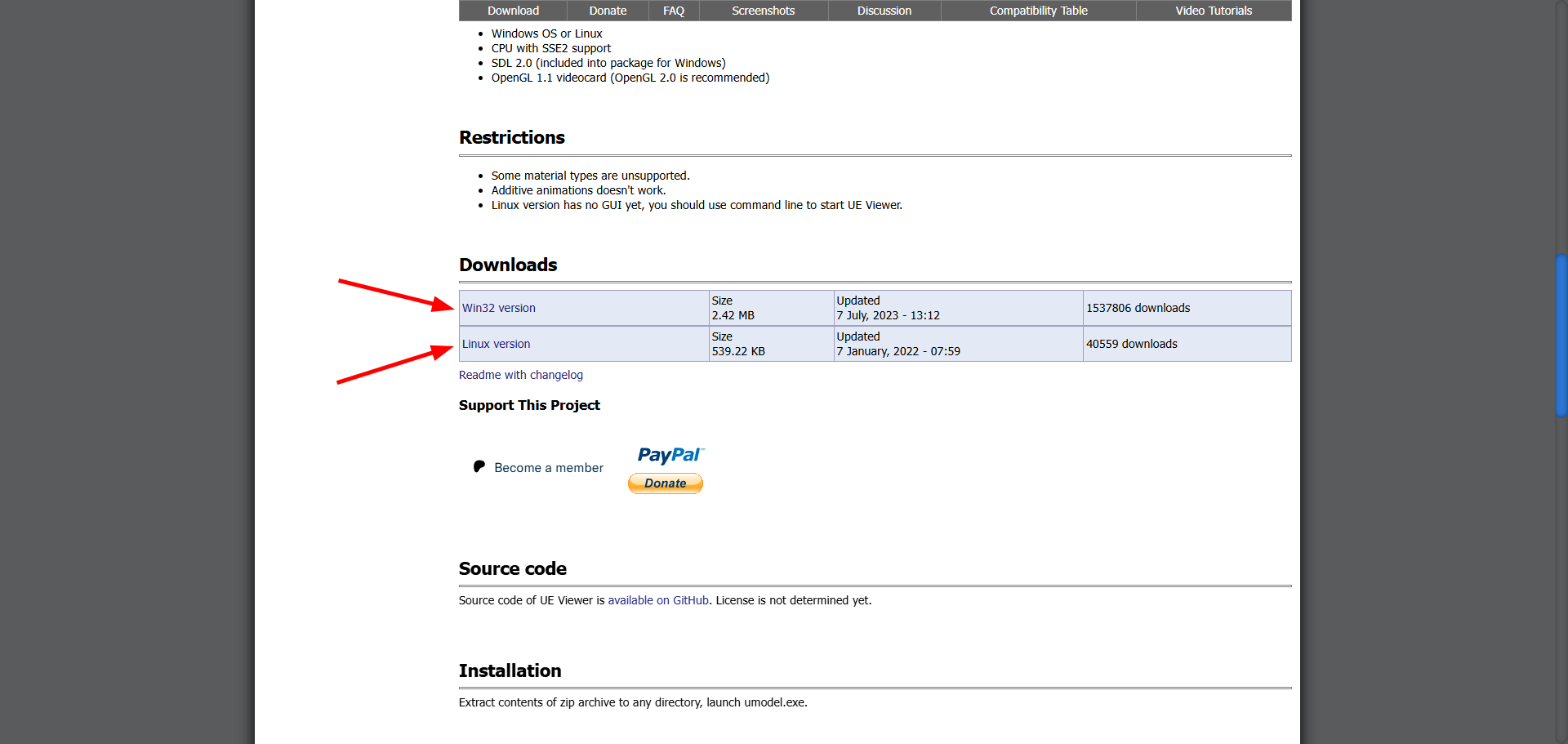
When the download finishes, extract the files to any folder you like.
2. Download the UE Viewer version that supports Unreal Engine 5
Download the file from this link: https://drive.google.com/file/d/1oPEdPuXolNFiGCJRZBUNnZL8wi6o0hDU/view?usp=sharing (thanks to the owner of the link!)
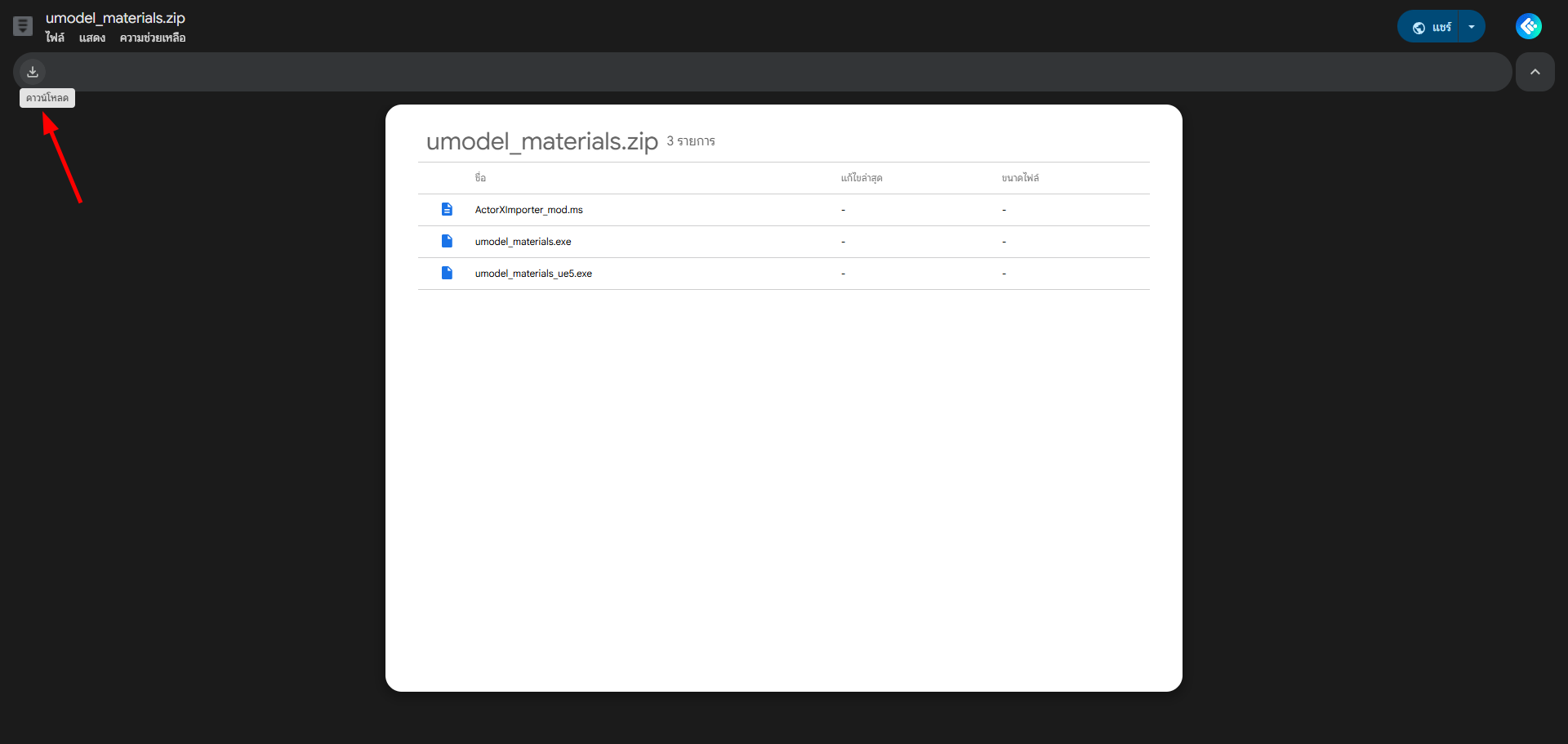
Extract the files the same way as before.
3. Put the files from both versions in one folder
Just copy all the files from the UE5 version into the normal UE Viewer folder. Easy!
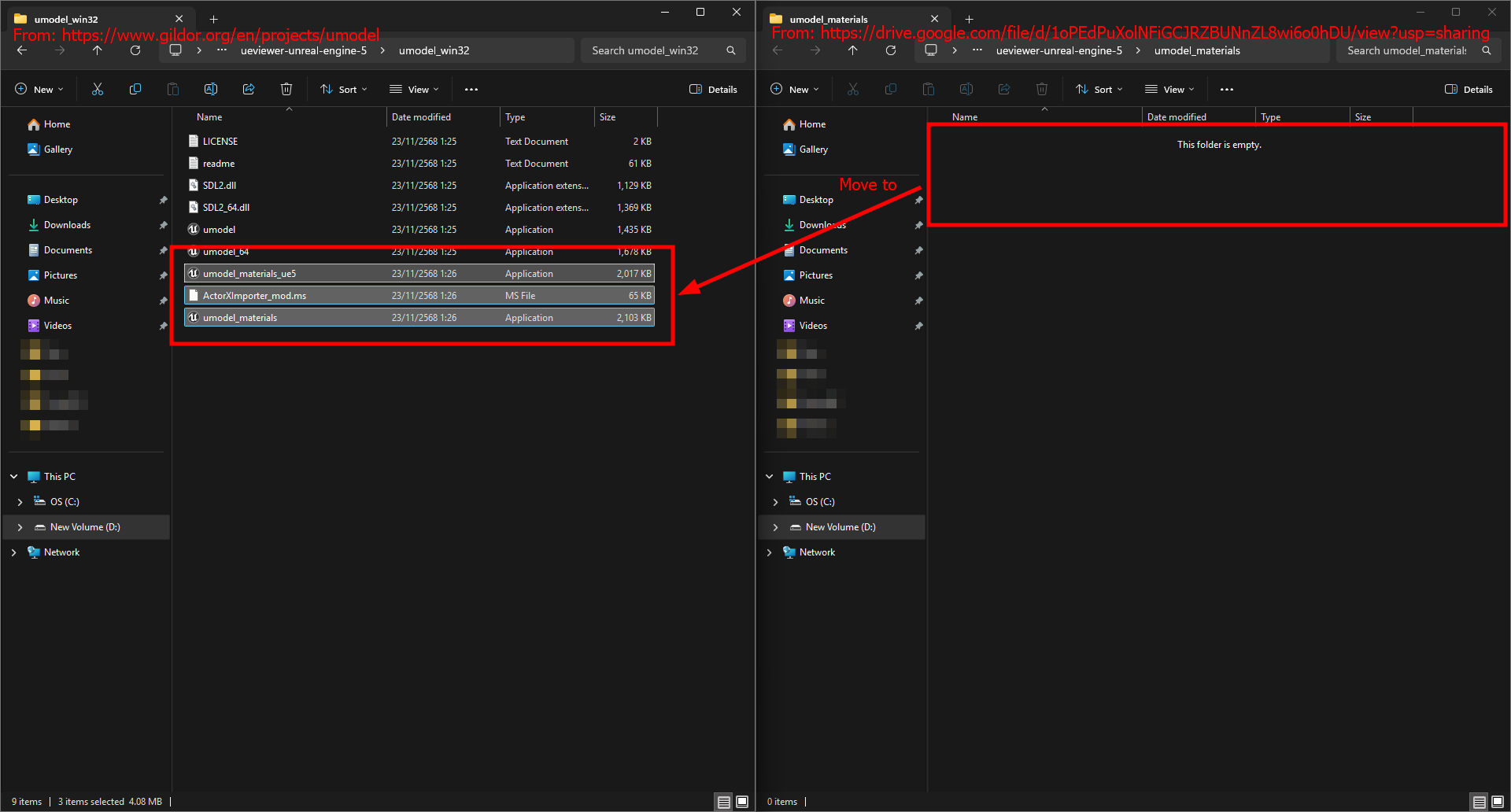
4. Open the UE Viewer that supports UE5
Open the program with the umodel_materials_ue5.exe file from the UE5 version.
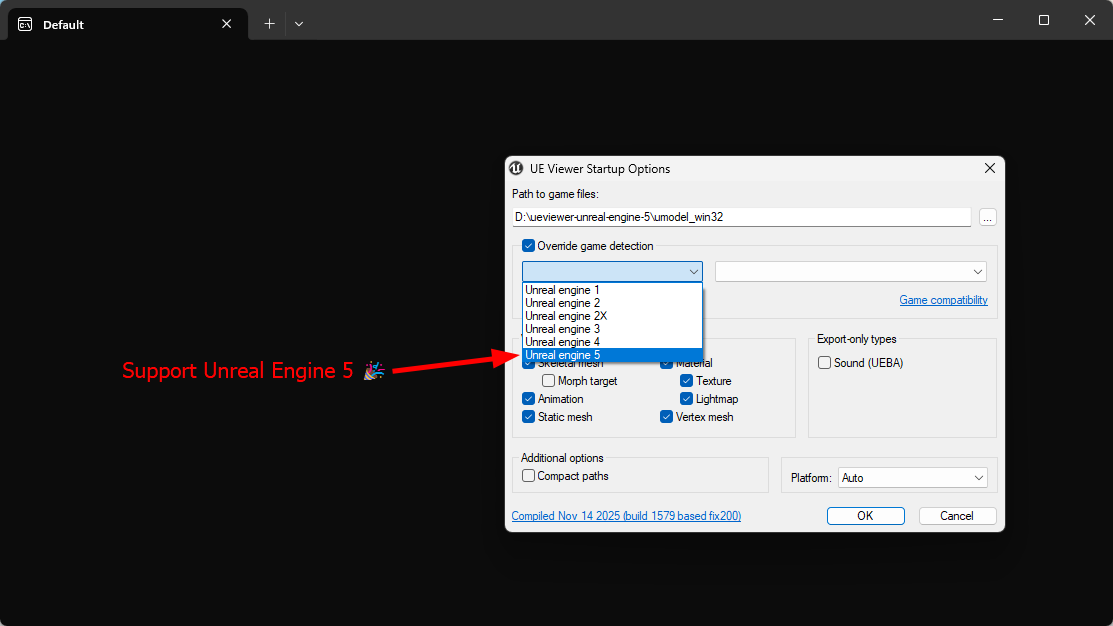
If you use Windows, you may see a “Windows protected your PC” window. Don’t worry. Click “More info”, then click “Run anyway”.
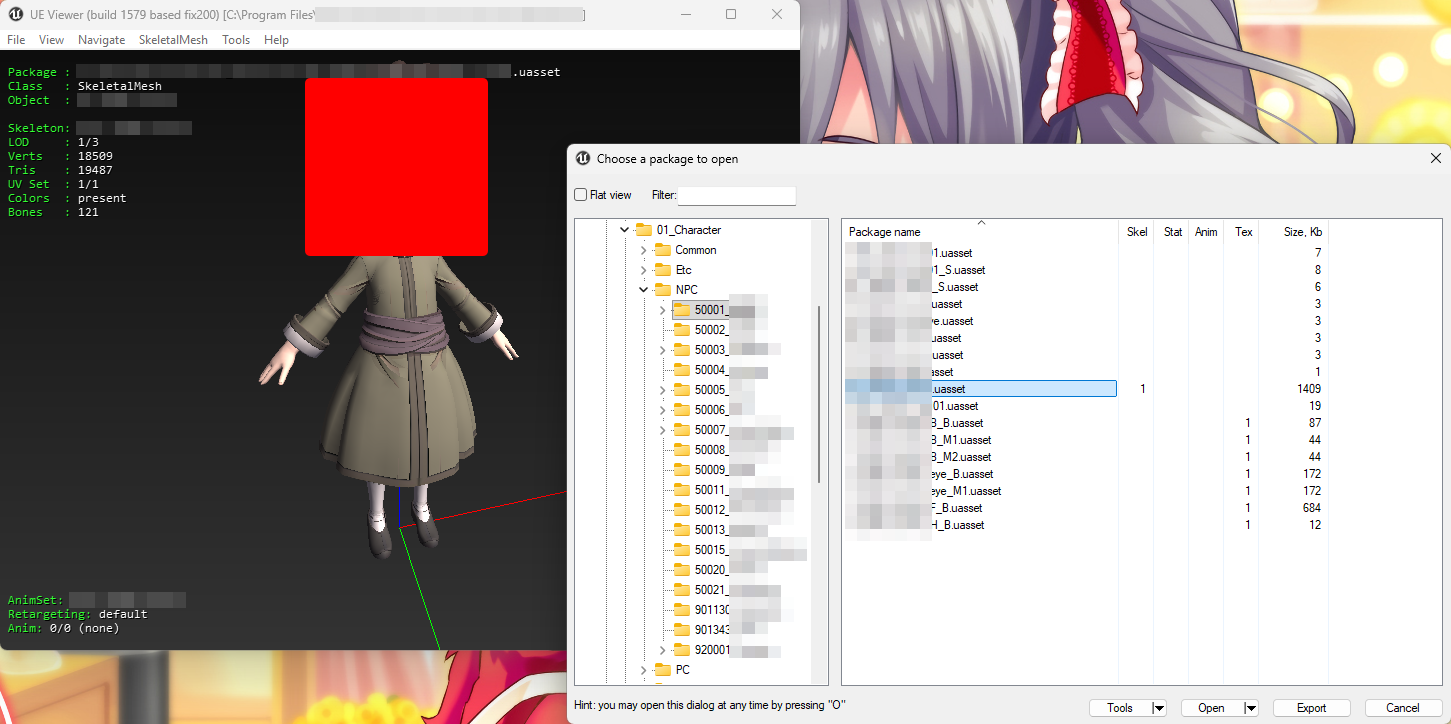
5. Open your Unreal Engine 5 game assets
Now UE Viewer is ready to open assets from UE5 games. Pick any file you want to look at.
Summary
I tried this method myself, and it works. You can view UE5 game assets without waiting for an update from the developer.
I hope this post makes it easier for everyone to view UE5 game assets.
Thanks to the owners of the tools and the information!
Thank you for reading!
Thanks for the information and tools: